Why MessMaster Beats Spreadsheets for Mess Management
If you run a mess in Bangladesh, you probably use a spreadsheet. Maybe Google Sheets, maybe Excel — and it works. Until it doesn't.
Contents7 sections
A member overwrites a formula. Someone deletes a row. The shared link gets forwarded. The manager is sick and nobody can update the sheet. The month ends and nobody can agree on the totals.
MessMaster replaces the spreadsheet with a purpose-built system that handles the hard parts automatically.
- Member: enters meals and checks balances without waiting for the manager to "update the sheet."
- Meal manager: manages the mess without maintaining formulas, chasing copies, or resolving version conflicts.
Your available controls and calculations depend on your role, mess status, deployment, and current server data. This guide uses fictional examples and does not replace the values shown in the app.
Guide status: Labels, permissions, calculation rules, rates, costs, exports, and available controls can vary by deployment and mess configuration. Use the current screen as the source to check and verify saved records after important changes.
Before you start
- You currently use a spreadsheet for mess management.
- You are considering switching to MessMaster or have just started.
- You want to understand the concrete differences, not marketing claims.
The spreadsheet problem
Spreadsheets work for small messes with tech-savvy members. They break down when:
- Multiple people edit simultaneously — version conflicts, overwritten cells, "who deleted my row?"
- Formulas get corrupted — one wrong cell reference and the entire calculation is off.
- The manager is unavailable — nobody else knows which cells are safe to edit.
- The link leaks — anyone with the link can view or edit sensitive financial data.
- The month ends — hours of manual review, formula checking, and balance verification.
- A new member joins — the manager has to manually add rows, update formulas, and recalculate.
The pattern
Every spreadsheet mess follows the same arc: it starts simple, grows complex, and eventually breaks. The manager spends more time maintaining the spreadsheet than managing the mess. Members lose trust in the numbers. Arguments start.
MessMaster breaks this cycle by handling the complexity automatically.
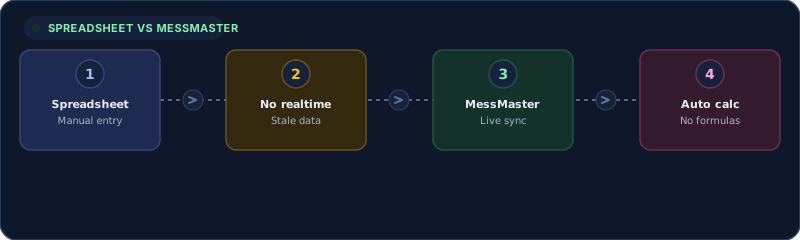
Realtime vs manual updates
Spreadsheet
- Member enters meals → sends a message to the manager → manager updates the sheet → other members wait for the update.
- If the manager is busy, the sheet is stale. Nobody knows the current balance.
MessMaster
- Member enters meals → the tracker updates for everyone in real time via Socket.IO.
- The balance, daily total, and monthly total refresh instantly on all connected devices.
- No "I'll update it tonight" — the data is current the moment it's saved.
Automatic calculations vs formulas
Spreadsheet
- The manager writes formulas:
=SUM(B2:B31),=COST/MEALS,=IF(this, that). - One deleted row, one moved cell, and the formula is broken.
- The manager must verify every formula every month.
- Members don't trust the calculation because they can't see how it works.
MessMaster
- The system calculates per-meal rates, individual shares, and monthly totals automatically.
- The calculation is server-side and type-safe via Prisma — no broken formulas.
- The manager selects the month-end policy; the system applies it.
- Members see their balance without asking "did you update the sheet?"
What you don't have to maintain
- No
SUMformulas that break when a row is inserted - No
VLOOKUPfor member names that returns #N/A - No conditional formatting that hides errors
- No "protected ranges" that someone inevitably unprotects
Role-based access vs shared link
Spreadsheet
- Everyone with the link can edit everything (or nothing — there's no middle ground).
- "View-only" mode means members can't enter their own meals.
- "Edit" mode means anyone can change anyone's data.
- No audit trail — you can't see who changed what.
MessMaster
- Members can enter their own meals, submit payments, and view their own data. They cannot edit other members' entries.
- Meal managers can manage members, costs, payments, and month-end. They cannot access other messes.
- Owners have platform-level access, not mess-level access.
- Every action is authenticated (JWT), authorized (role guard), and status-checked (mess status guard).
Three layers of enforcement
- JWT verification — the token is verified locally, not by calling Supabase.
- Role guard —
requireMessManagerorrequireMessMemberchecks the role. - Status guard —
messStatusGuardonly admits active messes.
A disabled button is a UI hint. The server independently rejects unauthorized actions.
Audit trail vs overwritten cells
Spreadsheet
- Someone overwrites a cell → the old value is gone. Unless you have version history enabled (and know how to use it), there's no record.
- Who changed the balance? When? Why? The spreadsheet doesn't tell you.
MessMaster
- Every meal, cost, and payment record is saved with a timestamp, user, and scope.
- Approved payments are frozen — they cannot be edited or deleted.
- Month-end closure freezes the entire month's records.
- The manager can review the history of any record.
Month-end closure vs manual review
Spreadsheet
- The manager spends hours checking formulas, verifying entries, and calculating balances.
- If a formula is wrong, the entire month is wrong.
- Members argue about the totals because they can't verify the calculation.
MessMaster
- The system calculates the per-meal rate, individual shares, and monthly totals.
- The manager previews the transition policy (zero reset, carry over all, carry positives).
- The manager confirms the transition — one deliberate action, not hours of manual work.
- The month is frozen. Members see their final balances.
What the manager still does
The manager still reviews records before closure — checking that all meals are entered, all costs are recorded, and all payments are reviewed. The system does the calculation; the manager makes the decision.
The migration path
Switching from a spreadsheet to MessMaster is not a "big bang" migration. You can do it in steps:
- Export your sheet — save your current spreadsheet as CSV or Excel. You'll use it for reference.
- Create a mess — use the setup wizard to create a new mess. Set the meal rates and member count.
- Add members — invite members to join. Each member creates an account and enters the mess code.
- Import data — if you want to carry over balances from the spreadsheet, enter them as the opening balance for each member.
- Go live — start entering meals and costs in MessMaster. The spreadsheet becomes the backup, not the primary.
Tips for a smooth migration
- Start at the beginning of a month — it's cleaner than mid-month.
- Keep the spreadsheet for one month as a parallel reference.
- Train members on meal entry first — it's the most frequent action.
- Let the manager learn the month-end closure on a test mess before doing it on the real mess.
Important: MessMaster is not a spreadsheet replacement — it's a purpose-built system for mess management. Your available features, calculation rules, and migration options depend on your configuration. Always verify the saved records after switching, especially the opening balances.


